When to use it
Translation is a Premium BRYKK Life feature designed for three scenarios:
- Travel — ordering food, asking directions, navigating airports
- Medical emergencies abroad — communicating allergies, conditions, medications to local responders
- Helping a family member — when your kid is studying abroad and you need to coordinate with their host family
How to translate
- From the bottom tab bar, tap Translate
- Pick your language (top) and the target language (bottom)
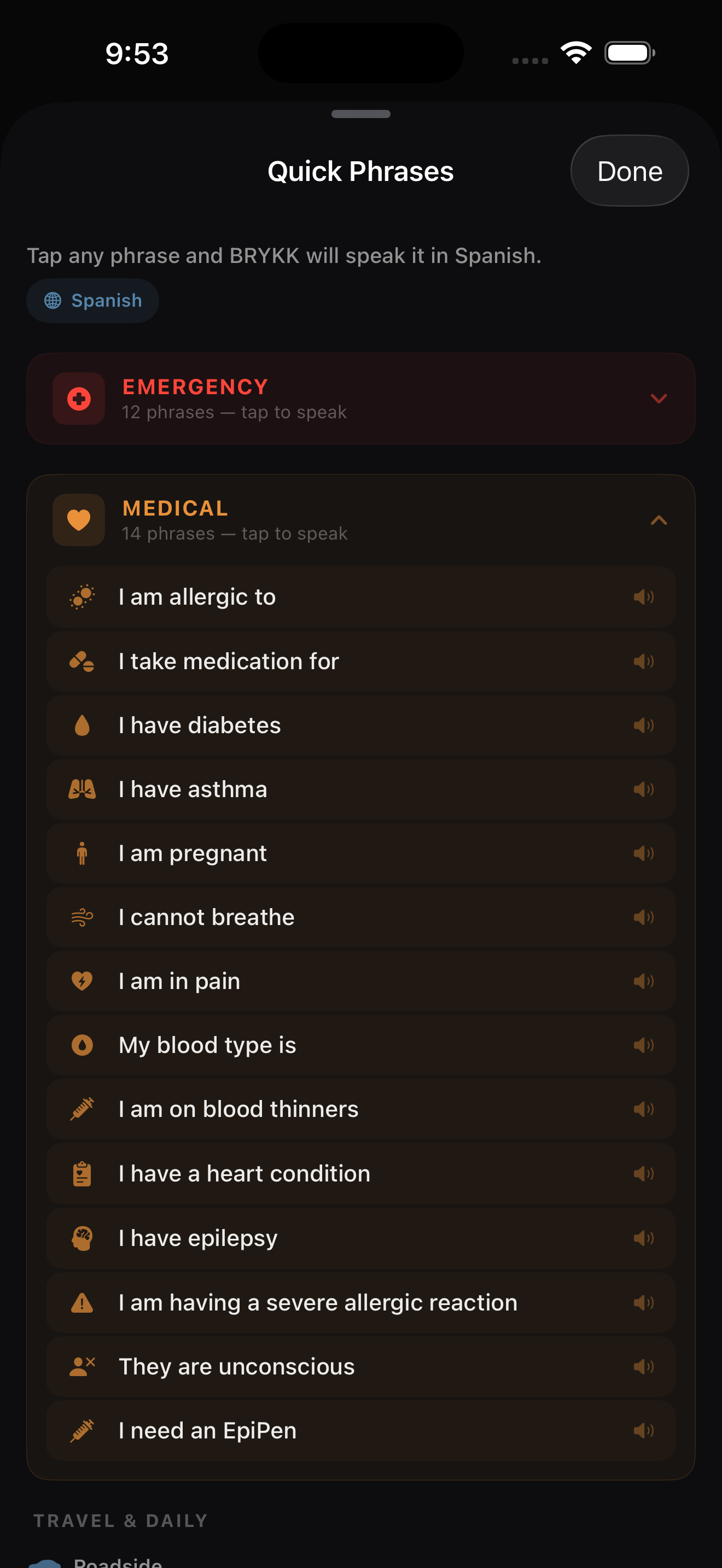
- Use the large mic stage for real-time voice translation, or open Quick Phrases for one-tap emergency, medical, and travel phrases
- Hand the phone over when needed — BRYKK can translate both directions without turning the screen into a cluttered chat log
Quick phrases
BRYKK has a built-in library of emergency, medical, and travel phrases pre-translated for instant access. No typing or speaking required — just tap and the phone reads the phrase aloud.
- Emergency: “Call an ambulance,” “Where is the hospital?”, “I am hurt”
- Medical: “I am allergic to penicillin,” “I am diabetic,” “I take blood thinners”
- Travel: “Where is the bathroom?”, “How much does this cost?”, “Can you call me a taxi?”
Auto-detect destination language
When you open Translate from a family member's pin (e.g. you tapped Emma's pin and she's in Spain), BRYKK auto-selects Spanish as the target language. No fiddling — it's already set up for the country you're trying to communicate with.
Supported languages
BRYKK currently supports 18 target languages:
Spanish · French · German · Italian · Portuguese · Chinese · Japanese · Korean · Arabic · Hindi · Russian · Ukrainian · Vietnamese · Thai · Polish · Dutch · Turkish · Indonesian
Device support
The polished, real-time voice flow depends on Apple's on-device speech stack. On unsupported devices, BRYKK shows a clear fallback state instead of pretending the feature is available.
Privacy
BRYKK runs translation through Apple's on-device Speech and Translation frameworks and keeps phrase caching local. BRYKK does not send your translations to a BRYKK server or store your conversations.